
• ICT Infrastructure · Mobile Device Management
Secure your patient data, anywhere.
In a busy clinic, tablets and smartphones are essential tools, but they're also your biggest security risk. Our Mobile Device Management (MDM) service keeps your clinic private act-compliant while keeping your team mobile.
CROSS-PLATFORM POWER, ONE CONSOLE
Microsoft Intune
Cisco
Apple Business Manager
ManageEngine
 Front Desk TabletExam Room 2 Tablet
 Dr. Lee — iPhoneReception PhoneNurse Station TabletDr. Amara — iPhone
• Why your clinic needs MDM
Three problems MDM solves on day one
Tablets and phones keep your clinic moving, but unmanaged, they're an open door. Here's what changes once your fleet is under management.
Instant Security
If a device is lost or stolen, we can remote-wipe it in seconds. There's no waiting on a password reset or hoping nobody finds it first, the moment it's flagged, access to patient data ends.
Zero-touch deployment
From day one, new staff receive devices pre-configured with the apps they need, no manual setup required. Hand someone a tablet and it already knows where it belongs.
Cross-platform power
We leverage industry leaders like Microsoft Intune, Cisco, Apple, and ManageEngine to create a seamless experience across all your hardware, whatever your practice has bought, leased, or inherited.
• Our process
Getting your fleet under management
Three stages, in order, so every device is accounted for before any policy goes live.
STEP 01
Fleet audit
We inventory every device in your practice.
Owned, leased, or personal, every tablet and phone that touches patient data gets logged: who uses it, what's installed, and how it connects. Nothing gets managed until it's been counted.
STEP 02
Policy design
We set encryption, passcode, and app restrictions tailored to your needs.
Your policy is built around how your clinic actually works, balancing security with the day-to-day reality of busy staff who need devices to just work.
STEP 03
Continuous monitoring
We manage updates and security patches remotely so you can focus on patients.
Once live, we keep watching: patches roll out automatically, drifting devices get flagged, and you get visibility without lifting a finger.
• Data protection
How MDM keeps you compliant
MDM is a game-changer for privacy act compliance because it shifts the responsibility of data protection from the individual clinician to an automated
system. Here's how tools like Intune, Apple Business Manager, and ManageEngine keep you compliant.
SAFEGUARD
Enforced Encryption
MDM ensures that every device accessing patient records is fully encrypted. If a device isn't encrypted, it's blocked from the network, automatically satisfying privacy act's technical safeguards.
SAFEGUARD
Proof of compliance
If you're audited, you need logs. MDM provides a paper trail showing that every device has the latest security patches and required passcodes, ready to hand over the moment it's asked for.
SAFEGUARD
Data containerization
You can sandbox clinic data. This means a staff member can't accidentally copy patient info into a personal, unencrypted app like WhatsApp or a personal cloud drive.
SAFEGUARD
Remote kill-switch
If a device with access to ePHI (electronic protected health information) is lost, a remote wipe is your strongest defence against a reportable data breach.
• Bring Your Own Device
BYOD, without the headache
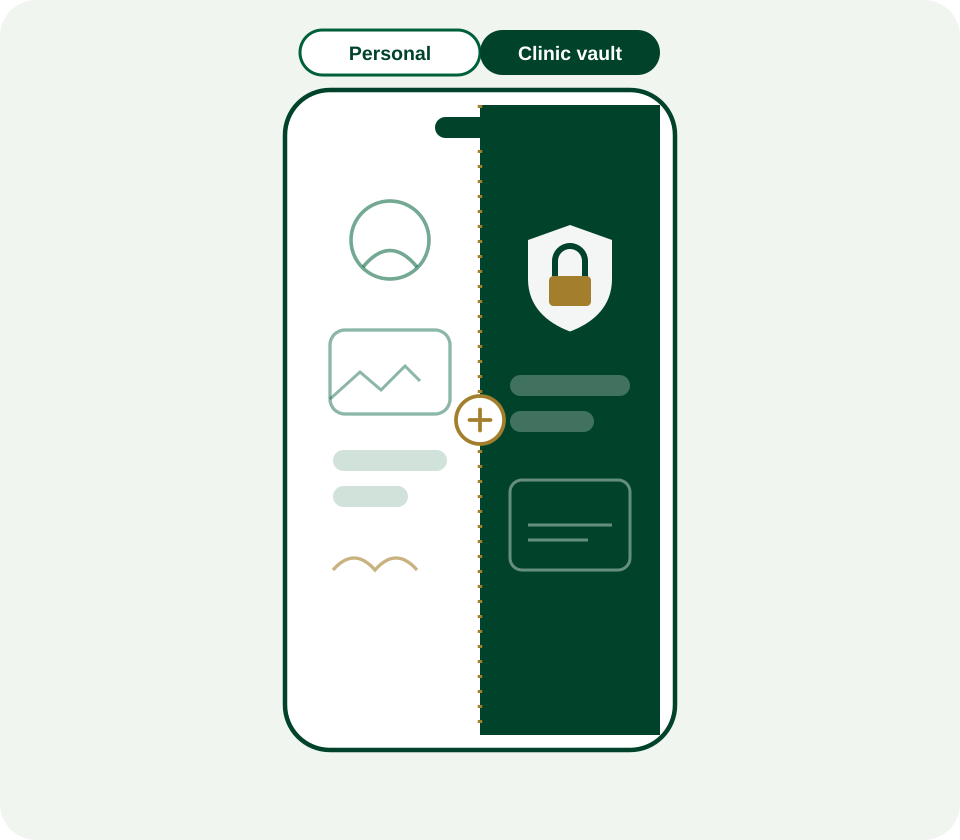
Handling personal devices is a common challenge for clinics. MDM allows you
to secure clinic data without taking over a staff member's entire phone.
Selective wipe
This is the biggest benefit. If a doctor leaves, you can remotely delete only the clinic's emails and patient apps, leaving their personal photos and messages completely untouched.
A vault, not a takeover
The MDM creates a work profile that acts like a digital vault. Clinic data stays inside that vault and cannot be copied or shared to personal apps like Facebook or personal cloud storage.
Privacy first
You can enforce a passcode for the work apps without needing to see the user's personal browsing history or location, which builds trust with your staff.
Conditional access
You can set a rule that says: if this personal phone isn't encrypted, it can't open the clinic's EHR app. Simple as that.
• Plan ahead, not behind
Stop reacting to tech failures, start planning for
growth.
Our proactive MDM monitoring keeps your devices healthy and your budget predictable. Schedule your mobile infrastructure review today.